DL32 and AES50
The church uses a Midas DL32 digital stage box.
The DL32 provides stage-side microphone inputs and outputs while the M32 remains in the booth.
Simplified connection
Stage microphones
      ↓
     DL32
      ↓
    AES50
      ↓
  M32 LIVE
An approximately 80-foot AES50 run was used initially, and a 150-foot run has also been tested successfully.
Practical troubleshooting order
If several stage channels fail together:
- Check DL32 power.
- Check the AES50 cable at both ends.
- Confirm the intended AES50 port.
- Check M32 AES50 status.
- Confirm routing before changing individual channel settings.
If only one microphone fails, troubleshoot the microphone, cable, DL32 input, and channel path before assuming the entire AES50 connection has failed.
Power
A Raxxess PD-800L power unit is installed above the DL32.
Detailed power-up and power-down sequencing should be added after the complete church sound-system procedure is verified.
DL32 installed reference photos
Front panel and stage connections
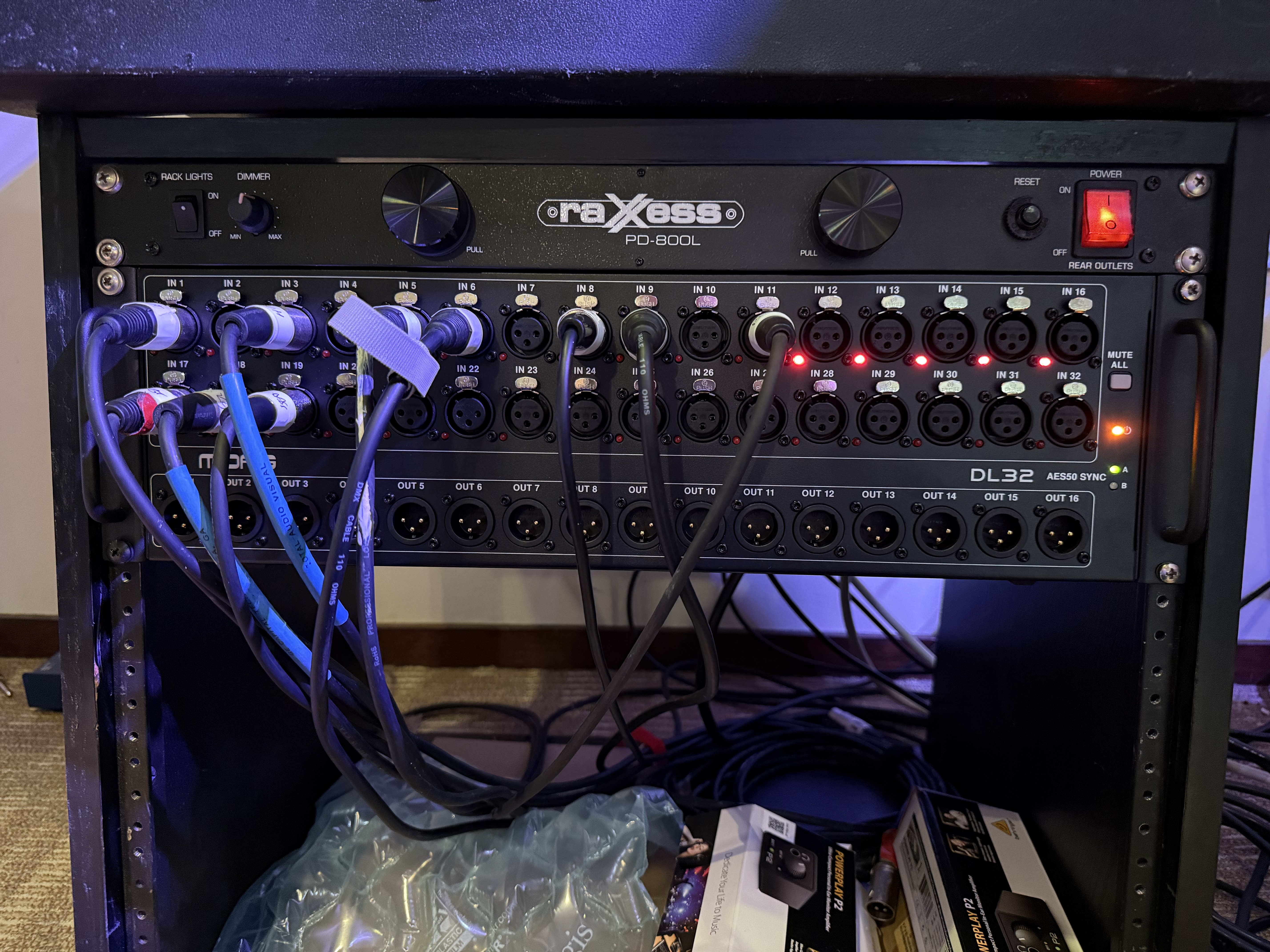
The installed DL32 front panel. The upper rows provide the 32 microphone inputs; the lower row provides 16 physical outputs.
Rear panel and AES50
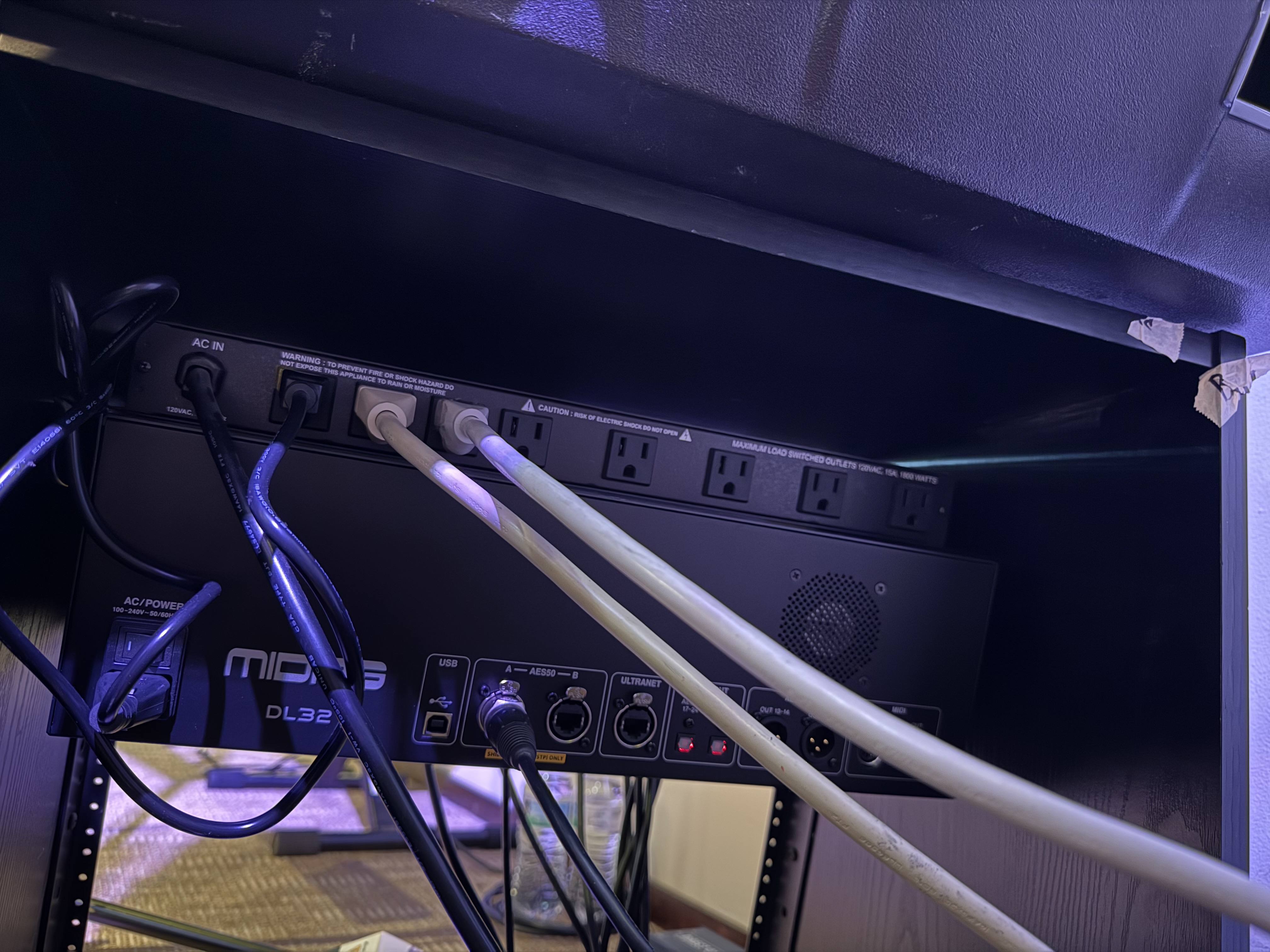
Rear of the DL32 showing its power connection, USB service port, AES50 A/B ports, Ultranet, and other rear-panel connections.
Installed cabling relationship
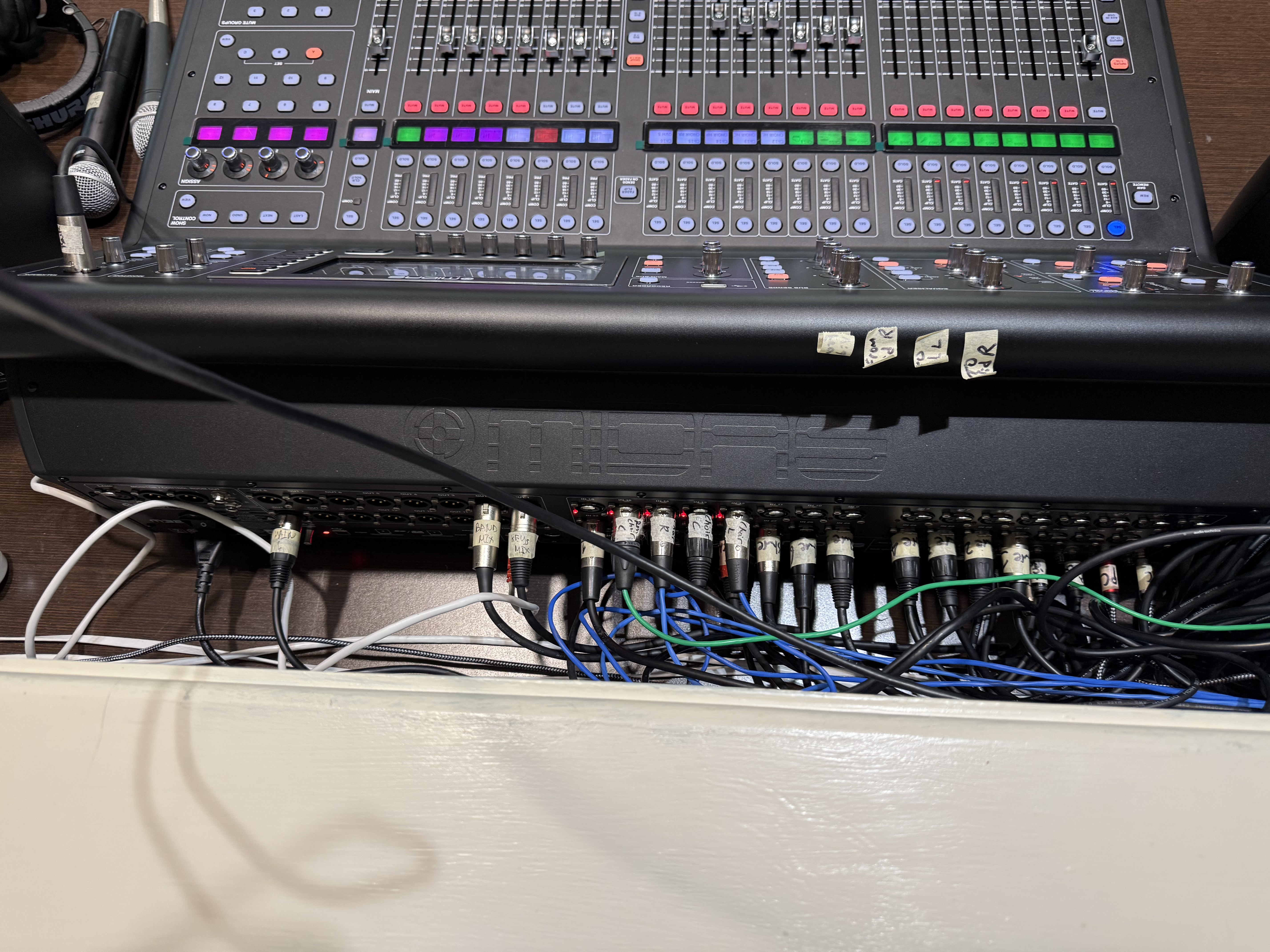
The DL32 installed below the M32. This practical view is useful when tracing real-world cabling and troubleshooting connections.