Beginner Console Map
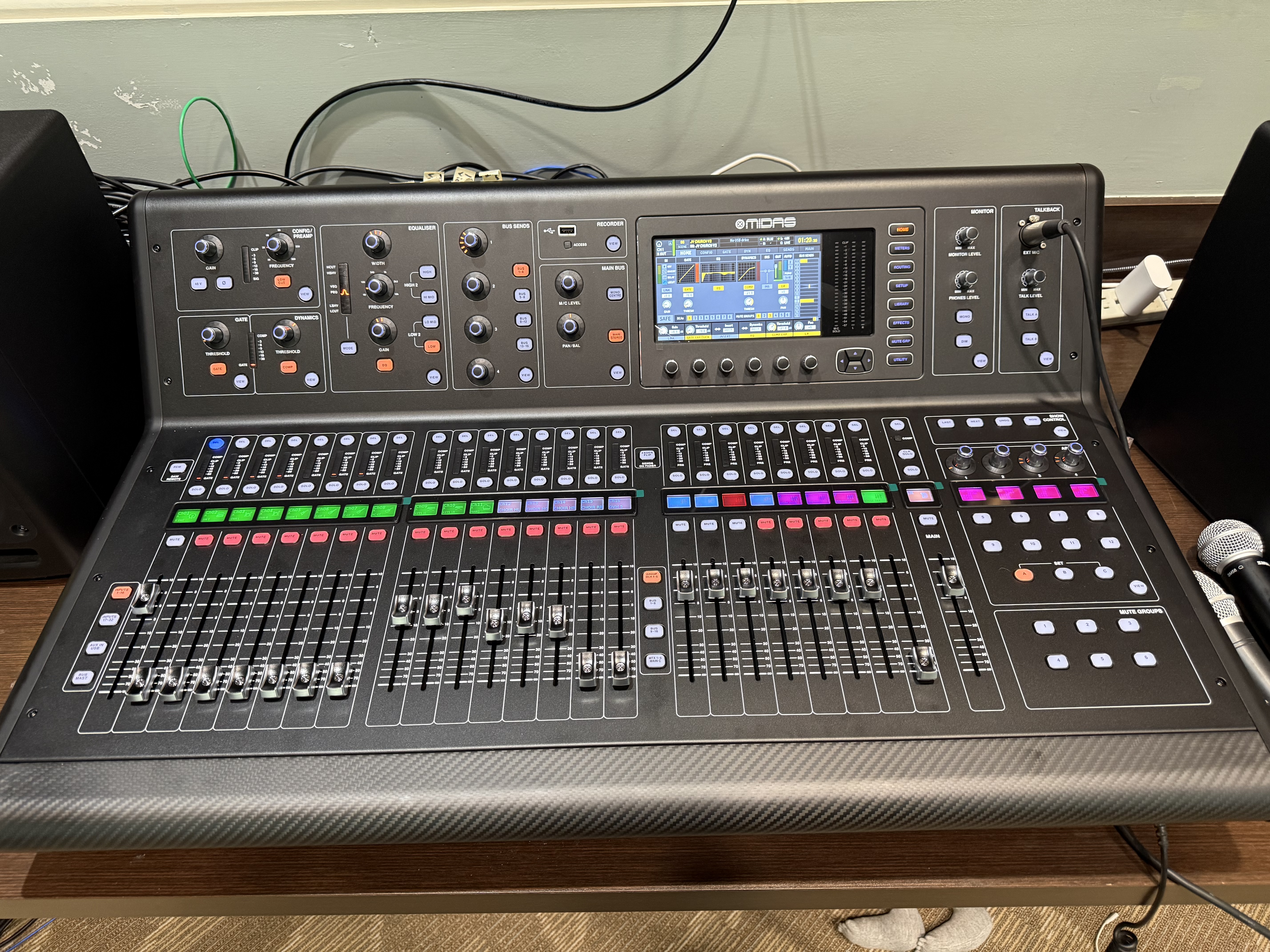
Straight-on overview of the Midas M32 LIVE control surface. This view is useful when learning the physical layout of the console.
The M32 can look overwhelming because one physical control surface operates many different layers. A beginner should first think of it as several functional areas.
1. Channel faders
A channel fader controls the level of the selected input or bus in the currently selected layer.
The physical fader is not permanently tied to one microphone. Its assignment changes when a different fader bank or layer is selected.
2. Channel Select
Press SELECT on the channel you intend to work on before changing channel-processing controls.
A useful safety habit is:
Select → verify the channel name → then change one control.
3. Input processing
The selected channel can expose controls for:
- Preamp/gain
- High-pass / low-cut filtering
- Gate
- Compressor/dynamics
- Equalizer
- Bus sends
- Main-bus assignment
4. Bus and output layers
The console can display input channels, buses, DCAs, matrices, and other layers on the same physical faders.
Always verify the active layer before moving a fader.
5. Main section
The main section controls the principal output buses. On the present church system the sanctuary mix uses MONO CENTER.
6. Main display and Show Control
The center display is used for setup, routing, recording-card functions, scenes, and show control.
Scenes are powerful because they can recall many console parameters at once. They should therefore be treated as system states, not merely as labels in a list.