4. Lighting System
Normal sanctuary lighting operation is controlled through ONYX on the Lighting PC and the NX DMX interface.
The Lightronics manual lighting controller is a backup system only. It is not part of the normal Sunday operating workflow.
Warning
Only one controller should control the DMX line at a time. Know whether the DMX cable is connected to the ONYX/NX DMX system or to the manual backup console.
ONYX lighting workstation
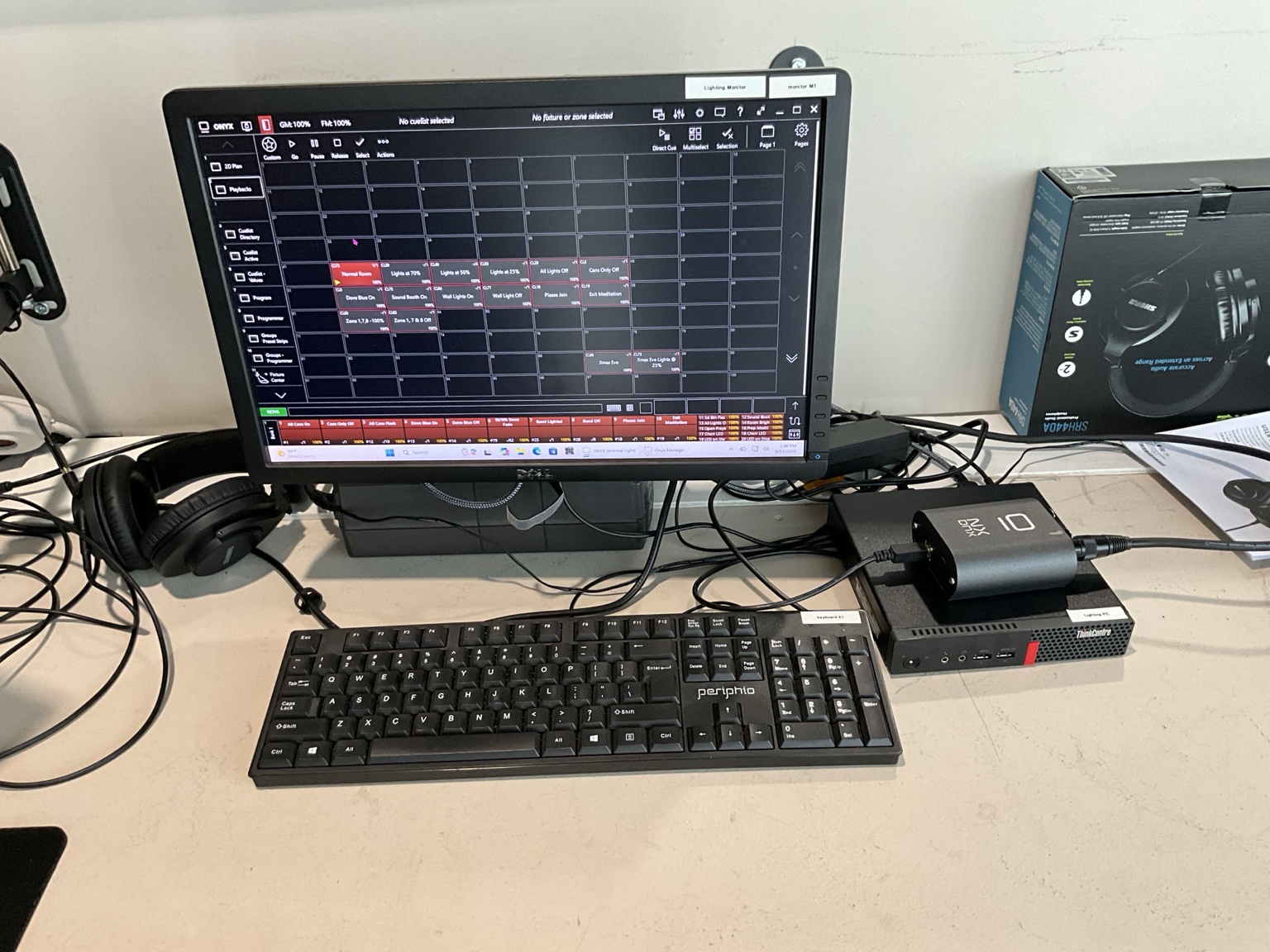
The Lighting PC workstation. ONYX is the normal lighting-control system used in the video booth.
DMX interface
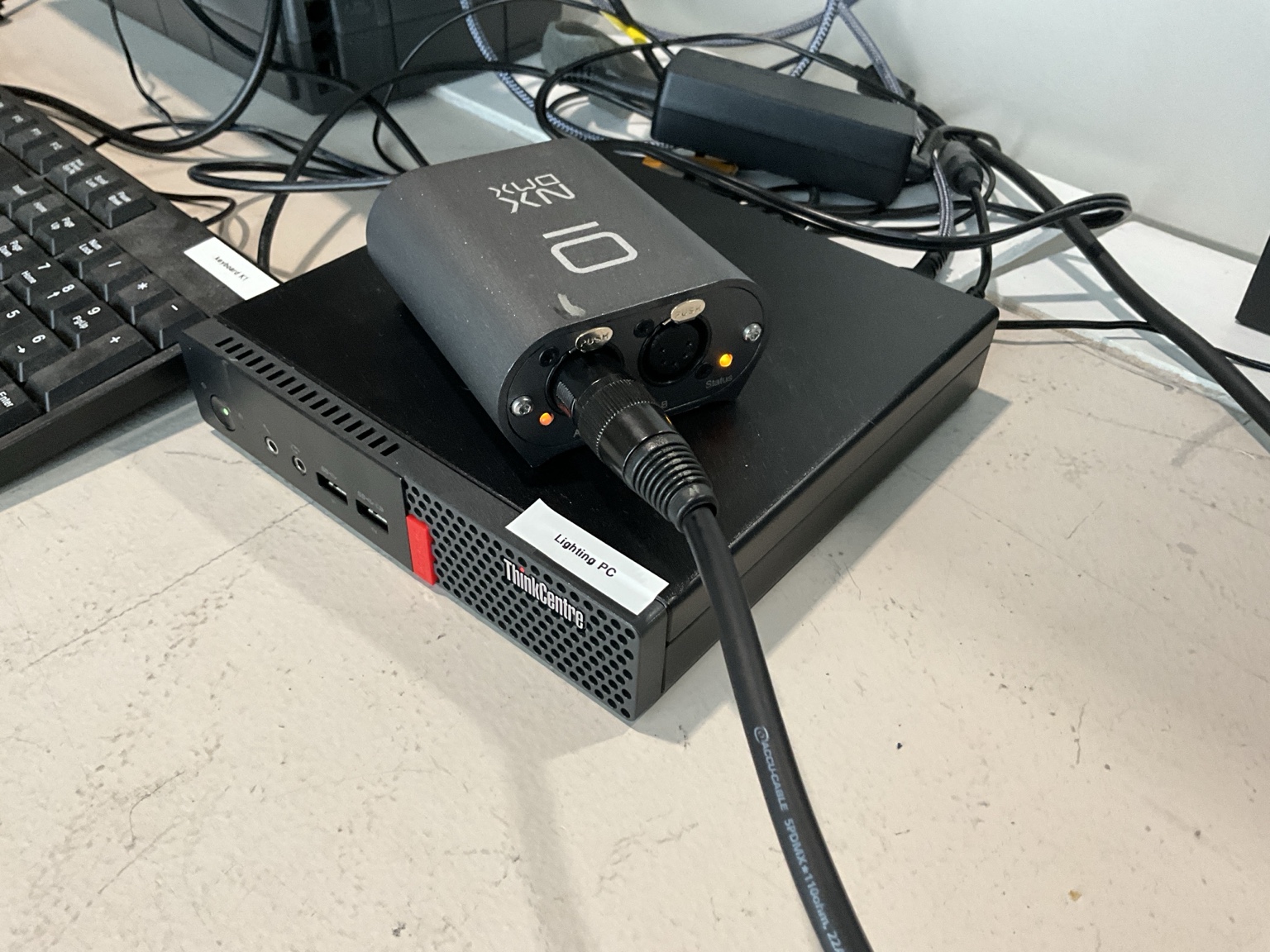
The DMX/XLR side of the interface used by the ONYX lighting system.
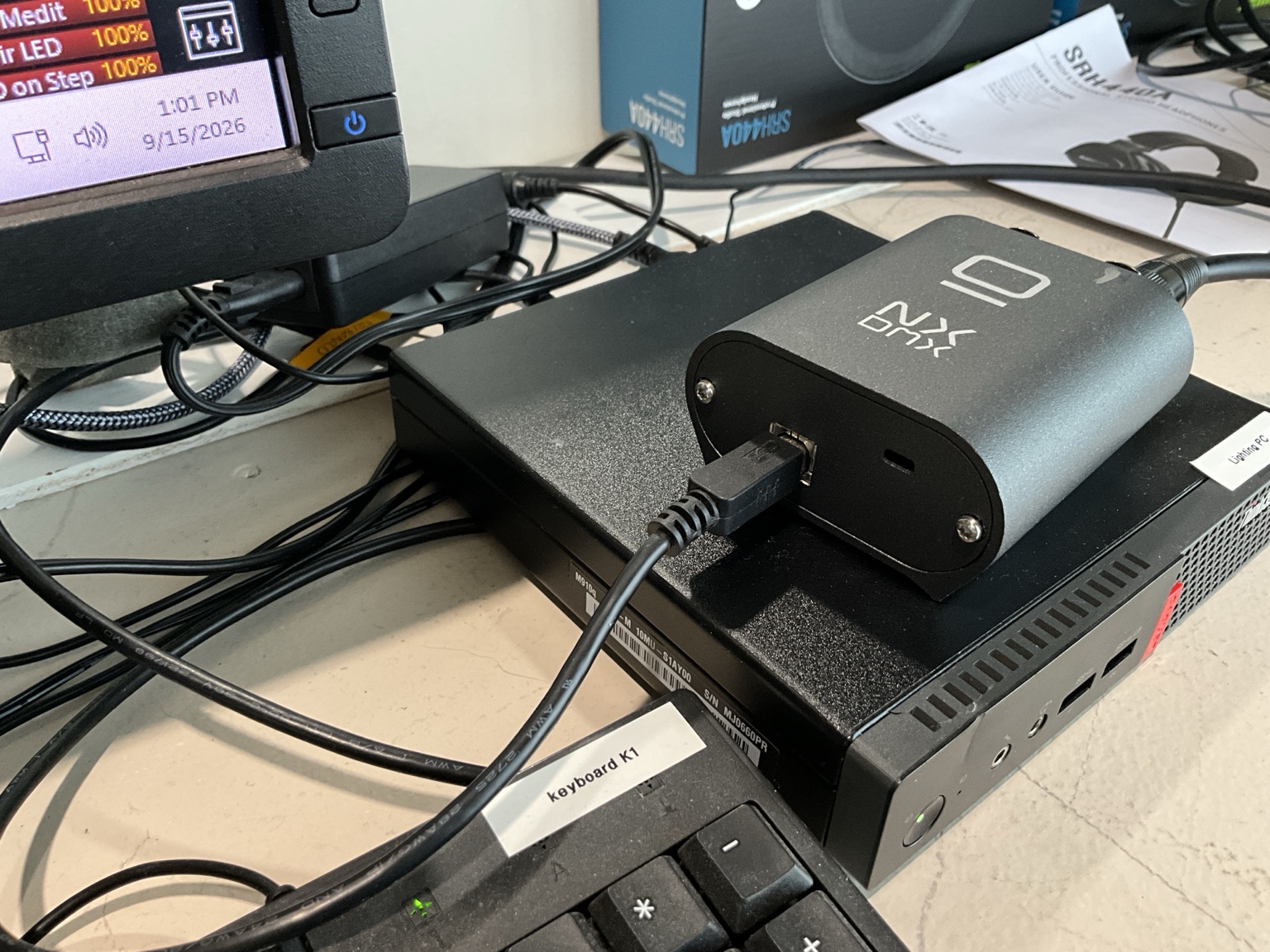
The computer/USB side of the DMX interface.
The exact DMX cable route and Port A assignment still need to be verified before this handbook treats the photographs as a complete wiring diagram.
Manual lighting controller — BACKUP ONLY
The Lightronics TL-5024 is retained only as a backup lighting controller. Use it when the normal ONYX lighting system is unavailable or has intentionally been taken out of service. A complete backup-operation procedure still needs to be documented.
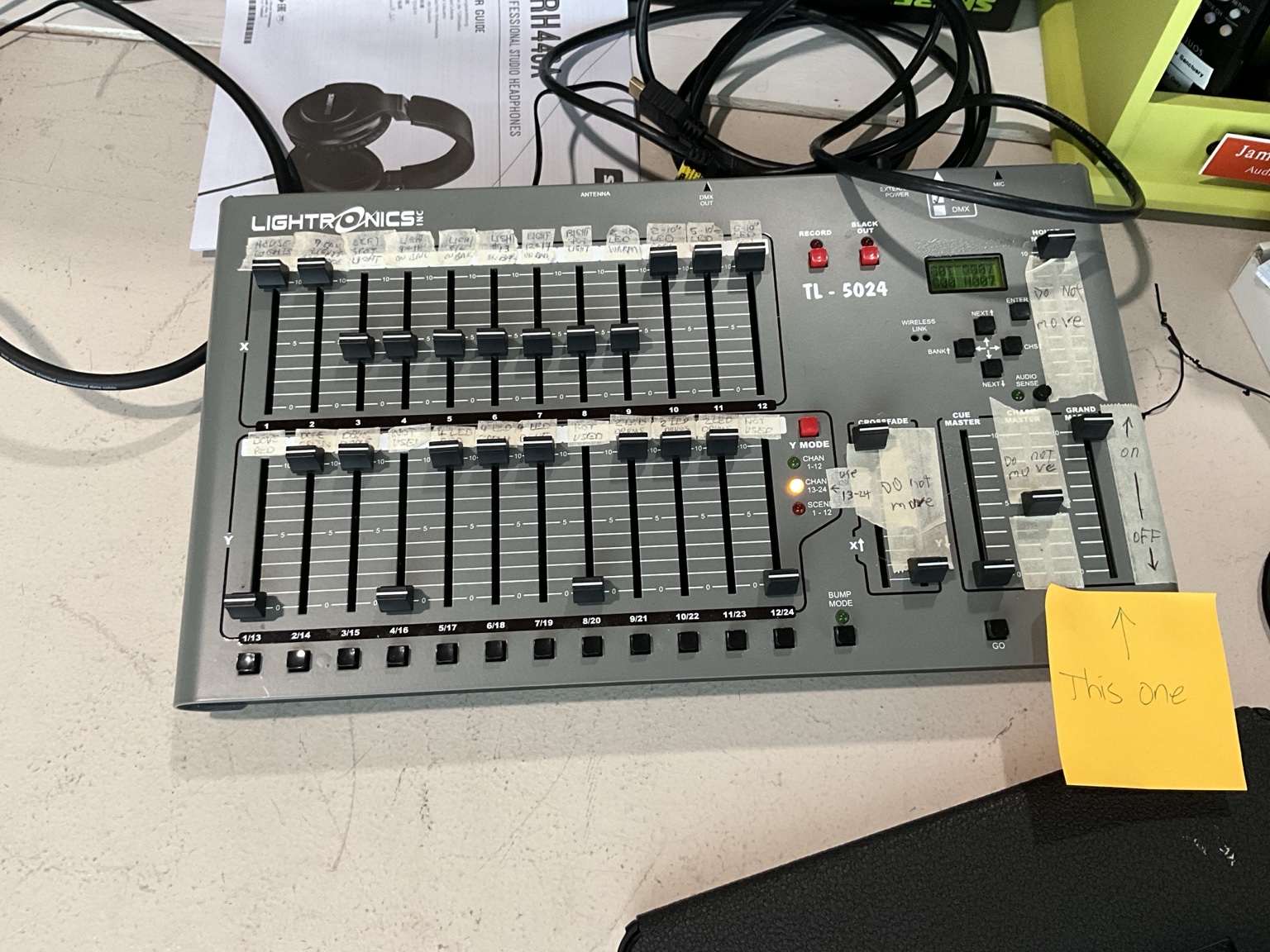
Front of the Lightronics TL-5024 manual lighting console. This is the backup controller, not the normal lighting-control system.
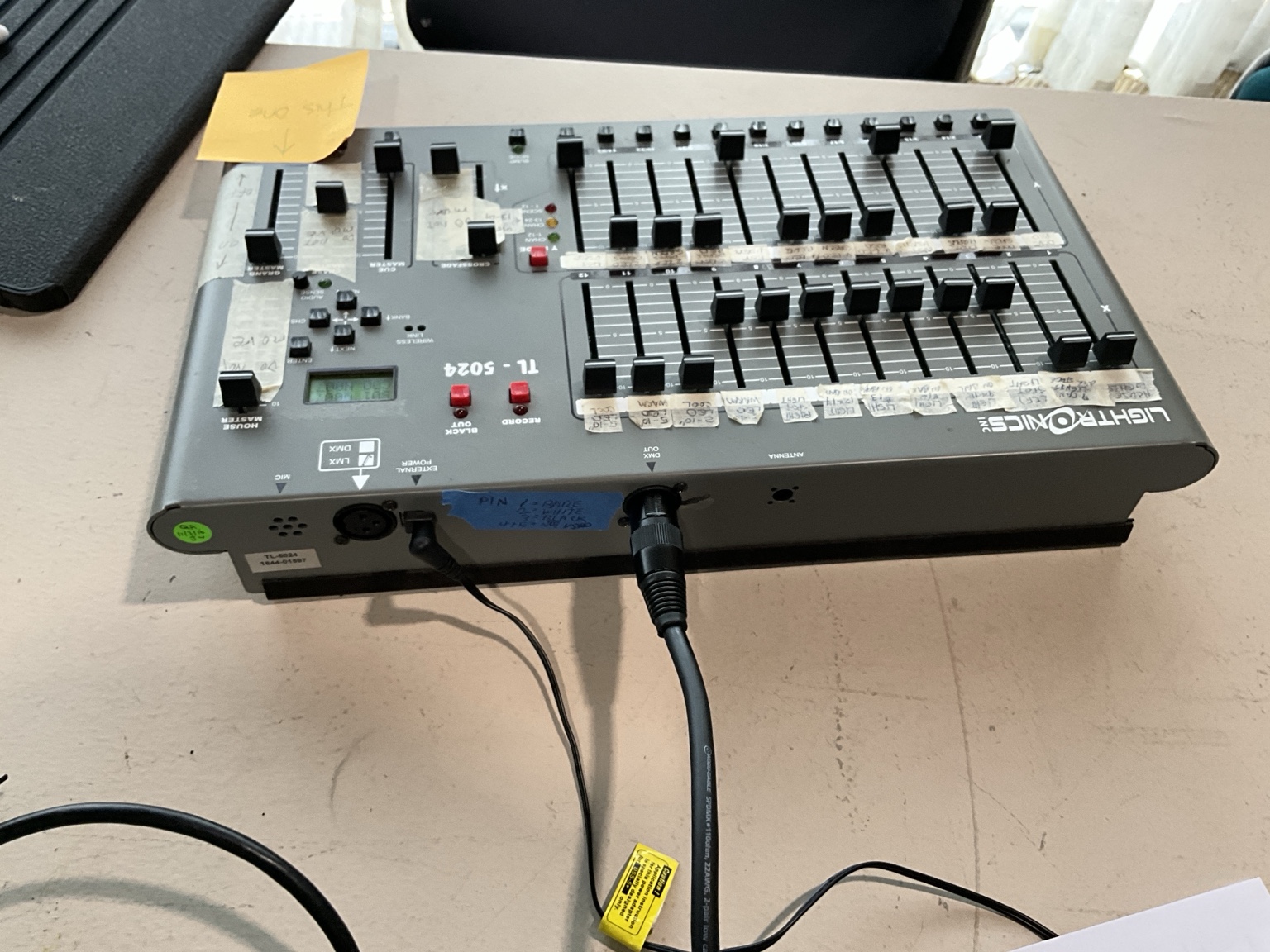
Rear connection area of the Lightronics TL-5024 backup lighting controller.